BART System Updates
Feb 2026
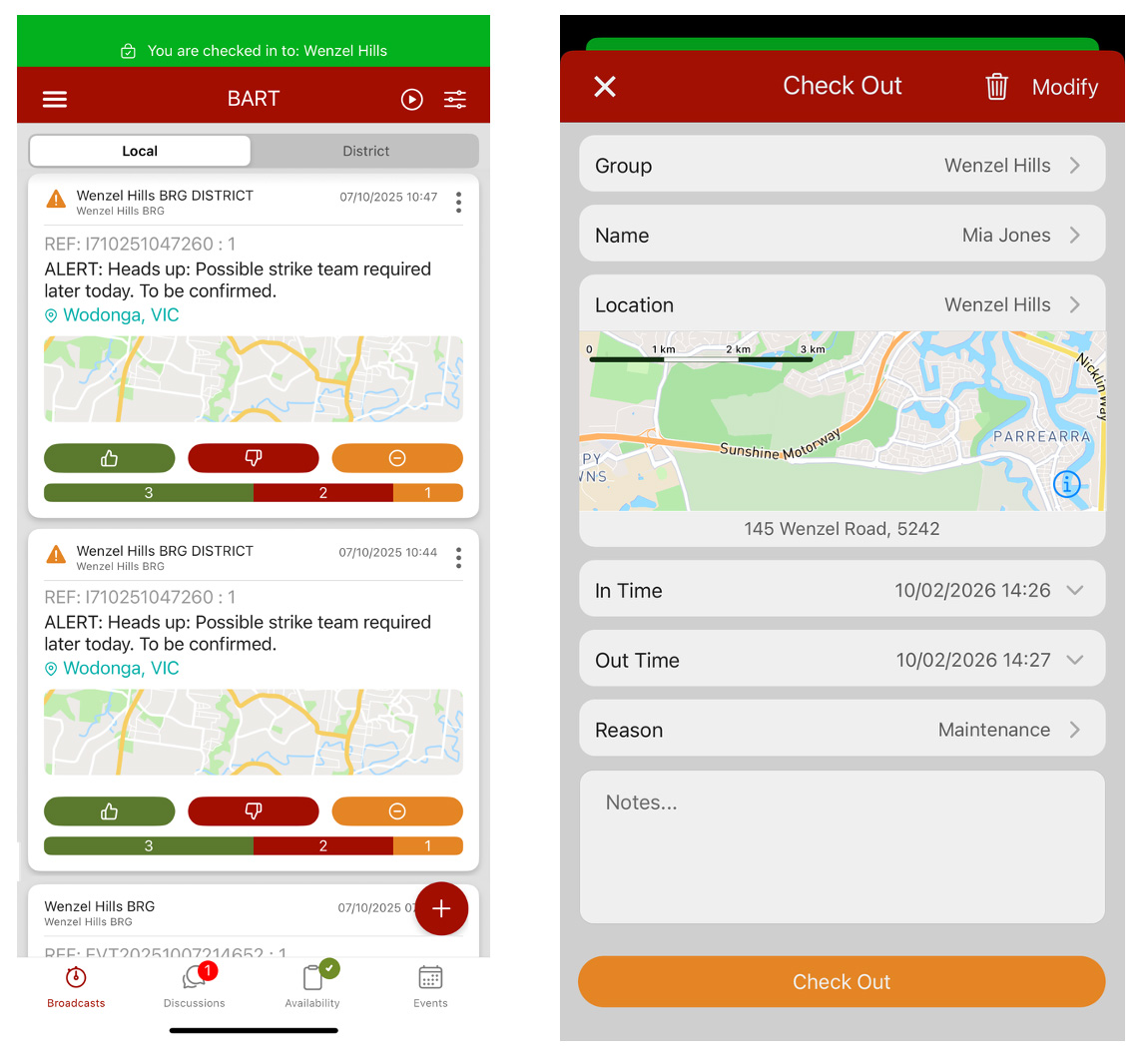
We’ve rolled out a major new development to the BART Check-in module, making it easier and more reliable for Members to record their time and activities — and for management teams to track participation across the Group.
A simpler way to log time
Members can now quickly check in and out of Stations, Events, or Incidents directly in the BART app. Activities are categorised, timestamped, and stored in one central place — no more manual tracking or spreadsheets.
Better visibility for leaders
Check-in gives administrators a clear view of:
- Member attendance and participation
- Time spent across different activity types
- Progress against brigade time requirements
All data is available through the Member Admin Portal, with reporting and export options built in.
Support for external personnel
Need to track time for contractors or other external workers? Administrators can now generate QR codes that allow non-BART users to check in on site — perfect for stations, incidents, or events.
Future Enhancements
This upgrade lays the groundwork for future enhancements, including potential RFID and NFC-based check-ins, ensuring the system can grow with your operational needs.
Getting started
To access the upgraded Check-in module:
- Update the BART smart device app to the latest version
- We recommend testing Check-in within your Group before using it day to day
We have heaps of information on using the Check-in Module inside our Knowledge Base.
As always, your feedback helps shape what comes next. We look forward to continuing to make BART even more useful for the people who rely on it every day.
Oct 2025
Our latest release of the BART application is here! Along with the usual bug fixes and security improvements, we’re excited to introduce a brand-new feature designed to make coordination even easier: District Duty Officer functionality.
What’s New?
If you’ve been assigned District permissions, you can now acknowledge an incident as “Attending” — even when it spans across multiple brigades. This helps streamline response visibility across the whole district.
How it Works
- When a new Broadcast Alert arrives, open the BART Team app.
- Tap on the ‘District’ tab from the List View screen.
- You’ll see a list of Broadcasts across your District.
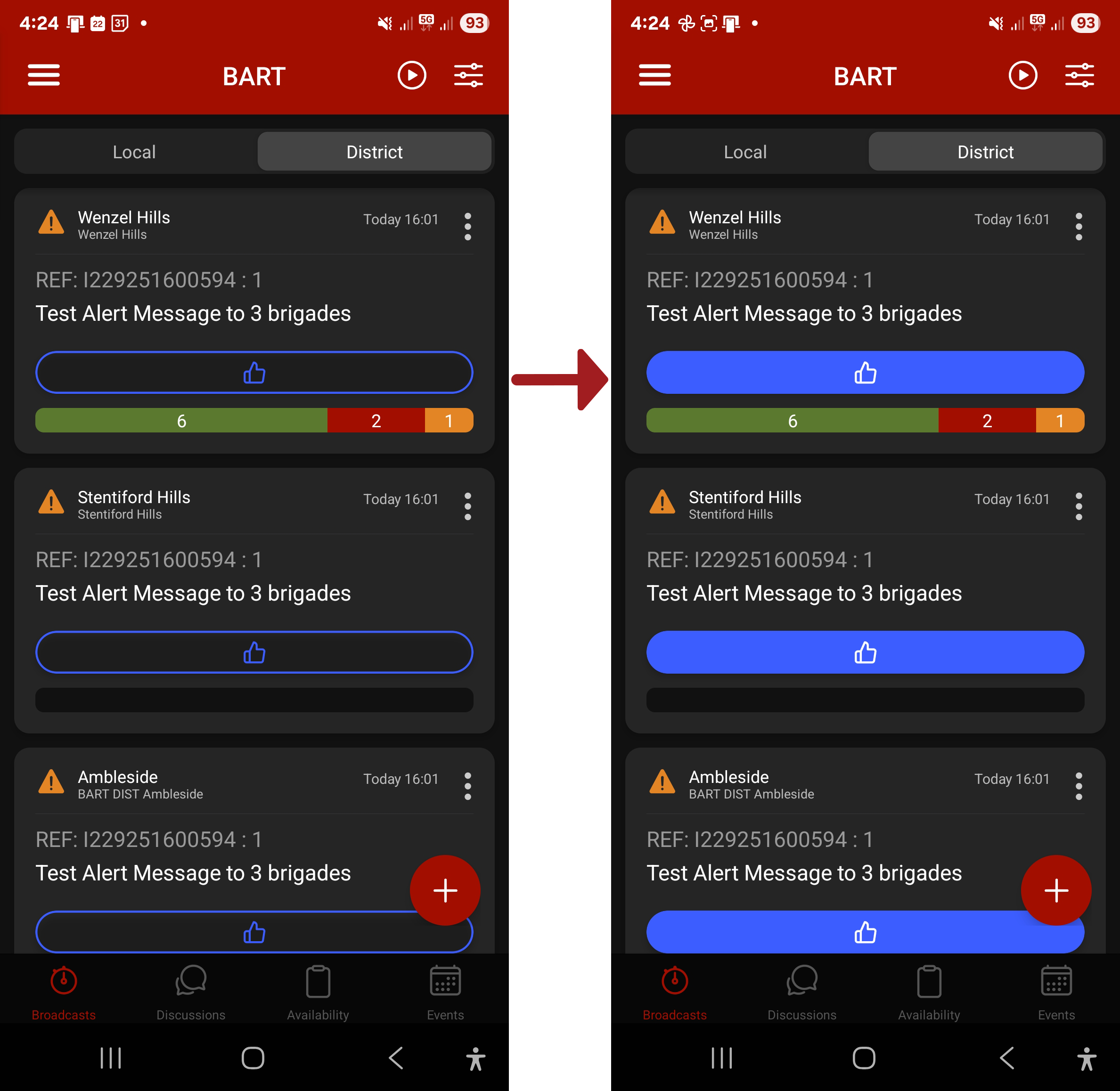
- Tap the blue thumbs-up to mark yourself as attending.
Tap the thumbs-up a second time if you need to change your status back to not attending.
What will the Brigades see?
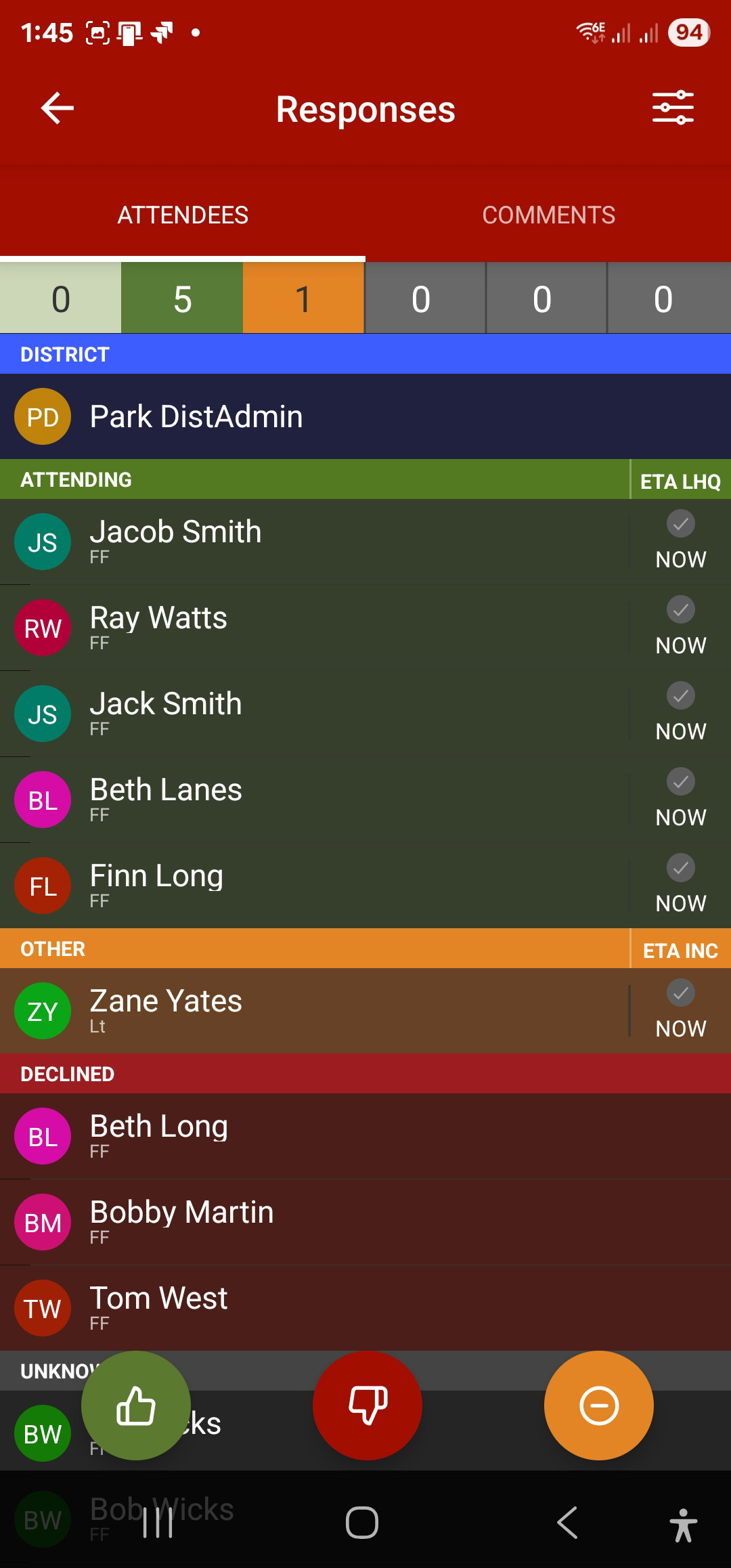
On the Attendees screen, brigade members will notice a new section labelled District Attending (in blue). This makes it clear when a District Officer is on the way — and gives members the ability to contact them directly if required.
Jul 2025
The latest release of the BART Team App has some handy new features, including Image Preview, Map tabs, and the ability to add hyperlinks in both Broadcast Messages and Discussions.
Image Preview
You have the ability to choose whether to display an image preview in either the List View or Quick View screens.
By default, any images sent within a Broadcast Message will display as an icon that needs to be tapped in order to view. This option can save mobile data, as you decide if you want to view the image or not.
Image Size Limit
20 MB
Supported image types:
- JPG
- JPEG
- BMP
- PNG
- GIFF
- ICO
Read more in our Knowledge Base
Predefined Messages
You can now select from a list of Predefined Messages when sending out a new Broadcast Message. The Predefined Messages must be created within the Members Admin Portal first, before they will be available for selection within the BART Team App.
Read more in our Knowledgebase
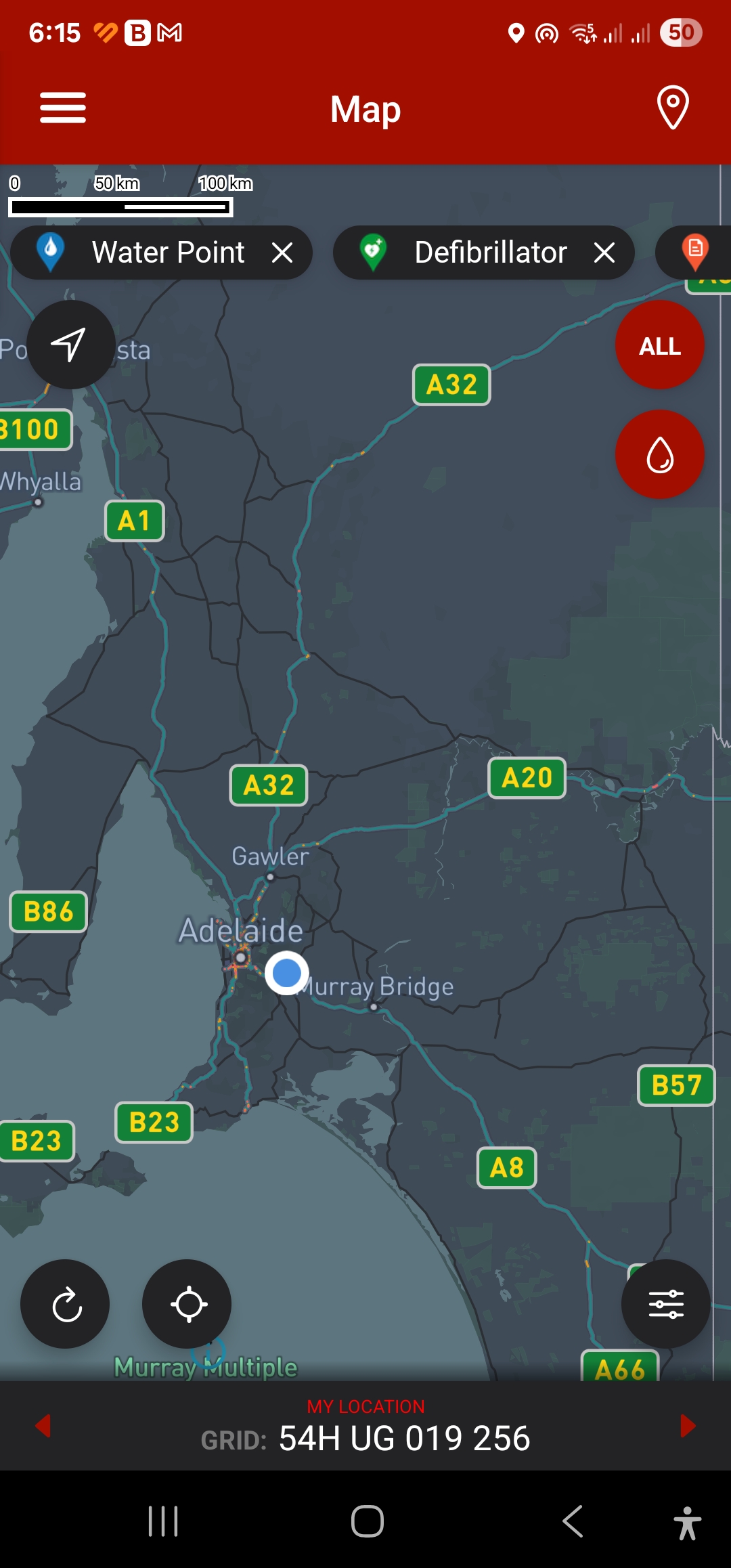
Map Tabs
The mapping screen now displays a list of 6 tabs that you have selected from the Map Marker list. The tabs display at the top of the screen and can be scrolled left and right.
Hyperlinks in Messages
We have reintroduced the ability to include URL’s within Broadcast and Discussion Messages. Some examples may include adding a link to a document or adding an address from Google Maps.
To open the URL instead of viewing the Attendance, you’ll need to hold down the message and wait for it to popout. Then tap on your hyperlink.
BART System Update
April 2025
The BART Team have been working hard to release a new major update to the backend of the solution to ensure speed, security and compatibility with the latest technology. While there’s some User Interface improvements and bug fixes, the biggest feature in this release is the ‘Message Reactivation’ functionality.
Message Reactivation Explained
We’re updating the BART system to cater for instances when a Broadcast is sent out multiple times with the same reference number. Until now, the reactivation of old messages has carried over, items such as Attendees, Times, Locations, and Photos.
Our developers have designed a way for the reactivation of past Broadcasts or instances of repeat incident numbers, without carrying over existing turnout data. This will ensure there’s a completely new record of the incident, without any overlapping Attendees or other data, whilst still being able to be tracked on the same incident reference number.
When a Broadcast comes through with the same incident reference number as a previous message, within a specific period of time, a version number will be automatically applied.
The time between Broadcasts with the same reference number is determined by each individual Organisation. For example, if a message reactivation occurs within 2 hours, it won’t be split up into individual jobs.
Comfort Koalas
We’ve been sending out our BART mascot ‘Bartholomew’ for a while now to be a cuddly friend to kids who have experienced a traumatic event. Our Bartholomew trauma teddies have already exceeded expectations, as we continue to get feedback on how well they’re received throughout our communities.
We are now extending this initiative to all those who believe Bartholomew would be beneficial to their own turnout operations.